


Chess Master: Board Game
4.82.16K Reviews
App Specs
- Version
- 12.33
- Updated On
- License
- Free
- Downloads
- 10,000,000+
- Developer
- One Way Street Entertainment
- Categories
- Board
- Platform
- Android
Screenshots
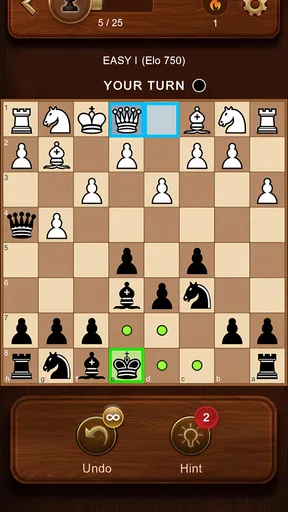
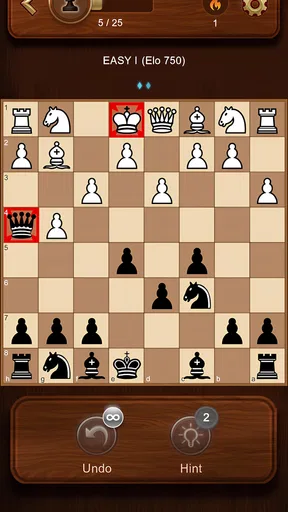
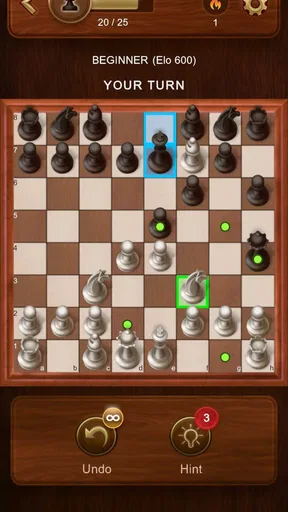
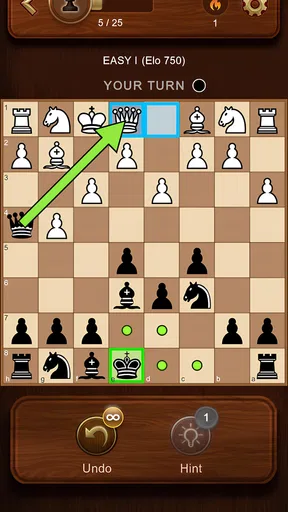


 Analysis by AppCompare
I tend to judge a chess app less by how much it promises than by what it makes me want to do after the first few moves. Chess Master: Board Game has the familiar appeal of a chessboard on a phone, but its real test is whether it can turn a spare moment into a satisfying game without making progress feel like a chore. I found it easiest to enjoy when I treated each session as a small goal: learn one rule, finish a match, or notice a mistake I can avoid next time.
A gentle start, with room to set your own goal
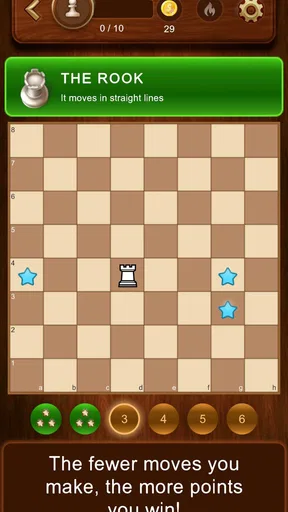
The first useful goal is simply getting comfortable with the board. Chess can feel intimidating when you are still remembering how pieces move, so a guided introduction is a practical place to begin. I would take it slowly rather than rush through: focus on one piece at a time, then play a few moves while checking that the rules make sense. That approach is more useful than trying to memorize several strategies before you have a feel for the game.
If you already know the basics, the opening stretch can serve as a reset. I like to use a first match to settle into the controls and see whether I am making careless moves because I am on a small screen. A short practice game is a better warm-up than immediately treating every match as a serious test. Chess rewards attention, and a phone session is often interrupted by notifications or everyday distractions.
One practical habit is to decide what counts as a good session before you start. For a beginner, that might be spotting a threatened piece. For someone with more experience, it could be avoiding an impulsive capture or thinking one move further ahead. This keeps the game rewarding even when you do not win. The board does not need a complicated reward system to provide a clear personal target; improving one decision at a time is enough to make a rematch worthwhile.
Progress that comes from playing, not just winning
Chess Master is a board game from One Way Street Entertainment, and the title makes its central promise easy to understand: it is built around playing chess and working toward better decisions. The app has a 4.7 average from around 314,000 ratings, and it has passed 10 million installs. Those figures suggest broad interest, but they are not a substitute for deciding whether the style of play suits you. I would pay more attention to how you feel after a few games: are you curious about the position, or only eager to get the match over with?
The most useful progress signal in chess is often a change in how you think. When I stop making the same rushed move, notice that a piece is exposed, or begin checking my opponent’s likely reply, I can tell I am learning even if the result is mixed. If you want to get more from each session, replay the key moment in your head after a game: what did you expect, and what actually happened? That tiny review turns a casual match into practice without requiring a long study routine.
For a player who likes a concrete record, the article’s original experience describes progress tracking and game statistics. I would use those as prompts rather than as a verdict on ability. A number can point to a pattern, but it cannot explain why a move went wrong. Pair any statistic with one specific question—such as whether you overlooked a threat—and the record becomes more useful. If stats make you fixate on performance, ignore them for a while and concentrate on the board instead.
Worth Reading Before You Choose

Switching to Android Auto Means Rethinking Your Driving Routine

Google Calendar Makes a Crowded Week Easier to Manage

Baby Panda World Brings Quick Play to Modern Phones, but Its Game Library Feels Busy

ESPN’s Live Game View Makes Following Close Games Easier

QuizzLand Review: A Good Fit for Short Trivia Breaks, Not Every Player

Basketball Stars: Multiplayer Is Fast, but Can It Recover When Matches Go Wrong?
Choosing a challenge that keeps chess enjoyable
Difficulty is personal, so I would not treat a tougher opponent as automatically better practice. A level that defeats you quickly may leave too little room to understand the position; one that offers no resistance can encourage lazy habits. Start where you can follow what is happening, then make the challenge harder when you can explain why your previous choices worked or failed. That is a steadier way to build confidence than raising the difficulty after a single lucky win.
The original experience describes computer play, friend challenges, and online matches. Each suits a different mood. A computer opponent makes it easier to practise at your own pace, while a friend can make a familiar game feel more social. Online play adds the uncertainty of facing another person, which I find engaging, but it can also feel more intense if you are still learning. There is no need to choose one mode as your permanent home; changing the kind of opponent can keep a routine from going stale.
For everyday use, I would pick a calm moment rather than start a serious game while waiting for a two-minute interruption. Chess asks you to keep track of threats and plans, and losing focus can make a match feel unfairly frustrating. If you only have a brief break, use it to review a rule or think about a position instead of forcing a rushed game. When you do have time, put the phone somewhere steady and give the board your attention; that small change makes it easier to enjoy the strategy rather than blame the interface for a distracted move.
How the pace holds up over time
A chess app has a naturally repeatable loop: set up a position, make choices, and see how the opponent responds. That can be satisfying for years, but it also means the app’s appeal depends on whether you enjoy the thinking itself. I would not expect a fresh sequence of unlocks or a constant stream of rewards to carry the experience. The more durable incentive is learning to read a position better, and that is motivating only if you like reflecting on your decisions.
What keeps a routine from becoming pressure
It is easy to turn any progress measure into a reason to keep playing longer than you intended. I recommend setting a simple boundary before opening the game: one match, or a short practice session, then stop. That is especially helpful online, where the desire to recover from a loss can lead to one more game and then another. A good chess habit should leave you interested in returning, not annoyed that you stayed up trying to repair a result.
The game is free, rated Everyone, and version 12.22 is listed for Android 7.0 and later. Its release date is June 2, 2023. Those details make it easy to judge basic suitability, but the more important question is whether you want chess on a touch screen. The screen can make the board portable, though a physical board is still more comfortable for long analysis or for teaching several people around a table. I would choose the phone for convenience and the physical set when the social setting or depth of study matters more.
Who I would recommend it to
I would recommend Chess Master to someone who wants a convenient way to play chess, revisit the rules, and practise in different kinds of matches. It is a particularly sensible fit for a beginner who wants to learn by playing rather than by reading a dense guide, and for a returning player who needs a low-friction way to get back into the habit. The range of play described in the original experience gives you ways to vary your opponent, while the board’s visual choices can make repeated sessions feel more comfortable.
I would hesitate to recommend it to a person who dislikes turn-based thinking, wants rapid action, or expects a game to provide a steady ladder of unlocks and prizes. Chess can be absorbing, but it can also make a short session feel demanding when you are tired. Someone focused on formal coaching, detailed opening study, or deep post-game analysis may be better served by a dedicated chess-learning tool or a physical board with a study partner. This app is most appealing when the simple act of playing is already part of the attraction.
My progression verdict
Overall, Chess Master is a straightforward mobile route into a game with a nearly endless learning curve. Its early goals are best chosen by the player, and the most satisfying signs of progress are sharper decisions rather than a rush to collect rewards. I like that this gives a casual session a purpose without requiring a big commitment, though it also means the game cannot manufacture motivation for someone who does not enjoy chess itself.
With around 1,900 reviews alongside its large rating count, it is clearly a widely used option, but popularity alone would not decide it for me. I would try it when I want an accessible board game that can fit into a quiet break, and I would keep expectations focused on practising and playing rather than on a grand progression campaign. If that is what you are looking for, it is easy to see why so many people return to a chessboard on their phone.
Getting Started with Chess Master
When I first opened Chess Master: Board Game, I was greeted with a clean and intuitive interface. It’s refreshing to see an app that doesn’t overwhelm you with too many options right off the bat. Instead, it eases you into the game with a quick tutorial, which is perfect for those who might be new to the classic game of chess.
The tutorial is interactive and provides just the right amount of information to get you started. It covers the basics like piece movement, special moves, and even some beginner strategies. Even though I’ve played chess before, I found it helpful as a quick refresher.
Features that Make a Difference
One of the standout features of this app is its variety of game modes. Whether you want to play against the computer, challenge a friend, or even compete online with players around the world, Chess Master: Board Game has you covered. I personally loved the online mode, as it’s thrilling to play against real opponents and test my skills.
Another noteworthy feature is the app’s AI. It’s designed to adapt to your skill level, which means you’re always in for a challenging game that helps you improve. I started on a lower difficulty to warm up, and as I gained confidence, I cranked it up a notch. The AI’s adaptability keeps the game engaging and pushes you to refine your strategies.
Visuals and User Experience
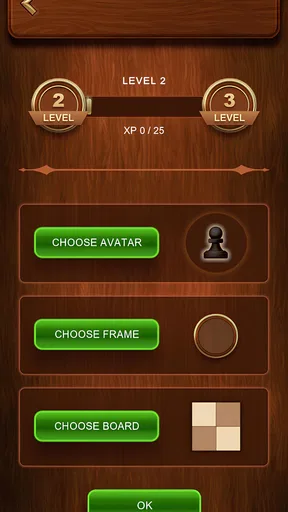
The app’s visuals are sleek and modern, without being too flashy. The board is easy to read, and the pieces are well-differentiated, which is crucial during intense matches. I appreciated the option to switch between different board designs and piece styles, allowing for some personalization.
The user experience is smooth, with quick load times and seamless transitions between menus. I never encountered any lag or glitches, which is a huge plus in my book. It’s clear that the developers put a lot of thought into making the app as user-friendly as possible.
Learning and Improving
For those looking to improve their chess skills, Chess Master: Board Game offers a wealth of resources. There are strategy guides, puzzles, and practice scenarios that help you sharpen your game. I found these particularly useful when I was stuck on certain moves or needed to learn new tactics.
The app also tracks your progress and provides detailed statistics about your games. This feature is fantastic for analyzing your performance and identifying areas for improvement. I found myself frequently checking these stats to see how I was evolving as a player.
Final Thoughts
Overall, Chess Master: Board Game is an excellent choice for anyone looking to enjoy a quality chess experience on their mobile device. Whether you’re a beginner just starting out or an experienced player looking to hone your skills, this app offers something for everyone. The combination of a user-friendly interface, challenging AI, and a rich array of features makes it a must-have for chess enthusiasts.
So, if you’re ready to embark on a journey of strategy and intellect, give Chess Master: Board Game a try. You might just find yourself hooked, strategizing your next move long after you’ve put your phone down. Happy playing!
Pros
- Engaging gameplay with various difficulty levels.
- User-friendly interface suitable for all ages.
- Offline mode available for uninterrupted play.
- Detailed tutorials help beginners learn quickly.
- Regular updates with new features and improvements.
Cons
- Limited customization options for game pieces.
- Occasional ads may disrupt gameplay.
- Lacks multiplayer online mode for global matches.
- In-app purchases required for some advanced features.
- Sound effects can be repetitive and distracting.
FAQs for Chess Master: Board Game
What features does Chess Master: Board Game offer?
Chess Master: Board Game offers a range of features for both beginners and advanced players. It includes various difficulty levels, an interactive tutorial mode, online multiplayer, and a comprehensive analysis tool to review past games. The app also provides customizable boards and pieces, along with daily puzzles to improve your skills.
Is Chess Master: Board Game suitable for beginners?
Yes, Chess Master: Board Game is ideal for beginners. It includes an interactive tutorial to teach the basics, along with adjustable AI difficulty levels to match your skill. The app also offers hints and tips during gameplay, making it easier for new players to learn and enjoy the game without feeling overwhelmed.
Can I play Chess Master: Board Game offline?
Chess Master: Board Game supports offline play, allowing you to enjoy matches against AI opponents without an internet connection. This feature is perfect for honing your skills or enjoying a quick game on the go. However, to access online multiplayer or game updates, you will need to be connected to the internet.
Does Chess Master: Board Game have a multiplayer mode?
Yes, Chess Master: Board Game includes a robust online multiplayer mode. You can challenge friends or face off against players worldwide. The app features real-time matchmaking, leaderboards, and chat options to enhance the multiplayer experience. This mode requires an internet connection to function.
Are there in-app purchases in Chess Master: Board Game?
Chess Master: Board Game does offer in-app purchases. These can include additional themes, premium puzzle packs, or subscription options for advanced features like detailed game analysis tools and ad-free play. While the basic version is free, these purchases can enhance your overall experience.


